
On this page
- The Myth: Accounting software manages the entire CA practice
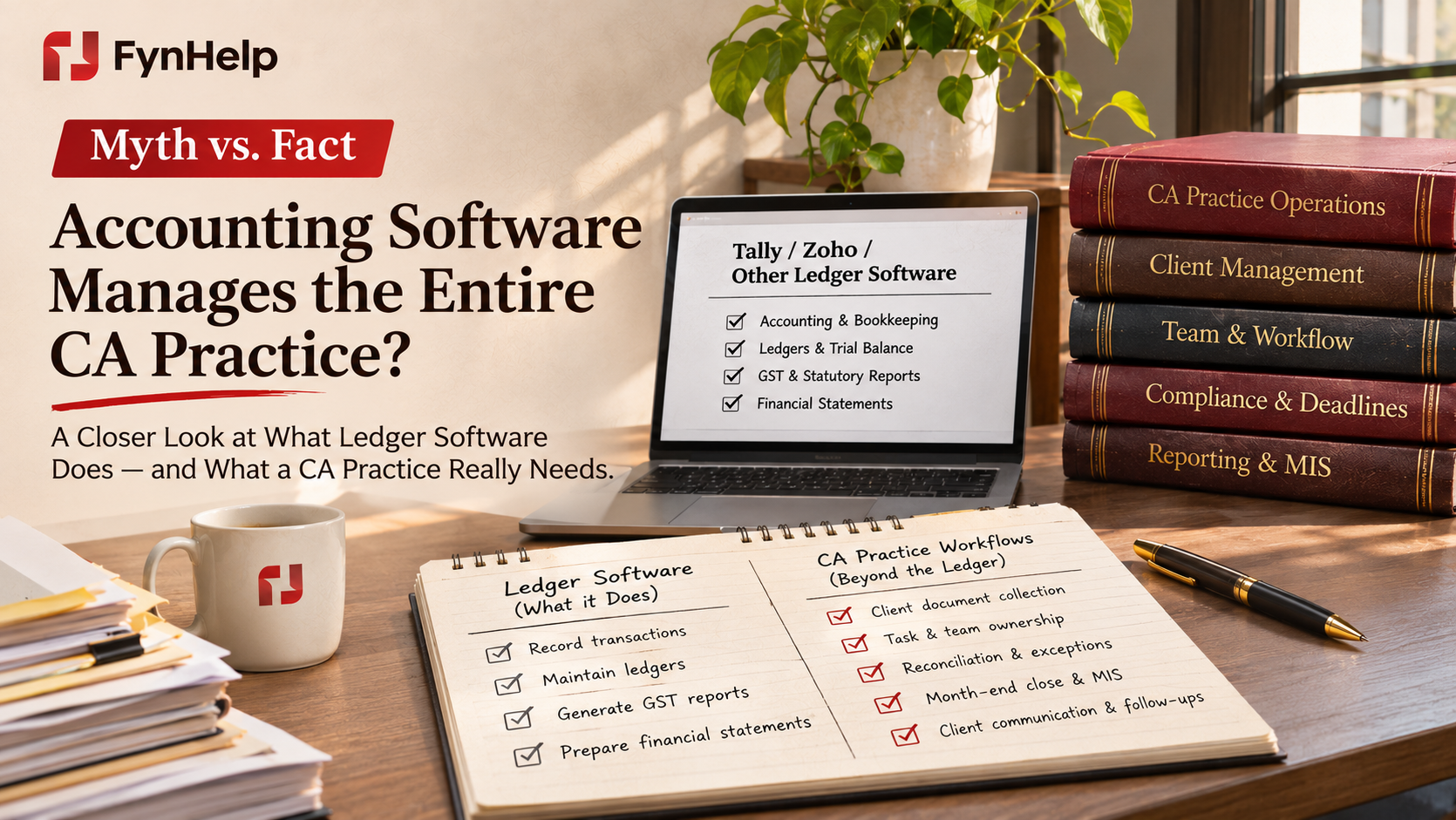
- The Fact: A CA practice operates across two connected layers
- The accounting layer: Managing financial records
- The practice workflow layer: Managing the work around those records
- Five operational activities that happen outside the ledger
- Collecting documents from clients
- Managing work across multiple clients
- Assigning ownership to employees
- Investigating reconciliation exceptions
- Monitoring work awaiting review
- What a connected CA practice technology stack looks like
- Where FynHelp fits into the CA firm's technology stack
- Questions to ask before adding another software tool
- The goal is not another ledger. It is a better-connected practice.
Accounting software is at the centre of most CA firms' daily operations.
It helps maintain accounting records, manage ledgers, record transactions and support financial reporting. For many firms, platforms such as Tally and Zoho are essential to delivering accounting and compliance services.
But there is a distinction that often gets overlooked:
Managing accounting records is not the same as managing the operations of an entire CA practice.
A firm can have its accounting software in place and still struggle with missing client documents, repeated follow-ups, unclear task ownership, pending reconciliations and limited visibility into work across multiple clients.
The reason is simple: much of the work required to complete an assignment happens around the ledger, not inside it.
The Myth: Accounting software manages the entire CA practice
The assumption is that once a firm has implemented accounting software, its operational workflow is also taken care of.
But consider what happens before an accountant can complete a client's books.
Someone has to request the bank statements. Someone has to follow up when documents are missing. Someone has to download and organise the files. Someone has to process the information, investigate mismatches and coordinate with the client. Finally, someone has to review the work.
These activities are essential to the accounting process, but they are not all ledger-management activities.
Accounting software can be a core part of the firm's technology stack without being the system that manages every operational step.
The Fact: A CA practice operates across two connected layers
A useful way to understand the distinction is to separate the accounting layer from the practice workflow layer.
The accounting layer: Managing financial records
Accounting software supports activities such as:
Maintaining ledgers and accounting records.
Recording and classifying transactions.
Managing accounting entries.
Maintaining customer and vendor balances.
Supporting financial statements and reports.
Providing accounting information for review and compliance work.
This layer is fundamental. It provides the financial records on which much of the firm's work depends.
The practice workflow layer: Managing the work around those records
A CA firm also needs to coordinate the activities required to deliver work across its clients.
This includes:
Requesting and collecting documents from clients.
Tracking missing information and follow-ups.
Organising client files and supporting documents.
Assigning work to team members.
Tracking assignment status and ownership.
Identifying and investigating reconciliation exceptions.
Coordinating review and approval.
Monitoring pending work across client entities.
These activities determine how work moves through the firm.
The accounting layer and practice workflow layer are complementary. A firm needs reliable accounting records as well as a structured way to coordinate the work required to maintain and review them.
Five operational activities that happen outside the ledger
Collecting documents from clients
Accounting work depends on information being available at the right time.
Bank statements, invoices, bills and other supporting documents may arrive through email, WhatsApp, shared folders or other channels.
The team must know:
Which documents have been requested?
Which documents have been received?
What is still missing?
Which client needs a follow-up?
Without a clear request and document-tracking process, employees can spend significant time coordinating information before accounting work even begins.
Managing work across multiple clients
A CA firm rarely works on just one assignment at a time.
Different clients may be at different stages. Some may have submitted all their documents, while others may be waiting for follow-ups. Some assignments may be under processing, while others are awaiting review.
The firm needs visibility into the status of work across client entities, not just access to individual accounting records.
Assigning ownership to employees
Every assignment needs clear responsibility.
Partners and managers should be able to identify who is handling a client's work, what stage it has reached and whether anything is blocking progress.
When ownership is unclear, employees may duplicate work, miss handovers or depend on repeated verbal updates.
Investigating reconciliation exceptions
A ledger may contain accounting entries, but reconciliation can still require additional investigation.
Split payments, timing differences, missing references and unmatched transactions need to be understood before they can be resolved.
The operational workflow should make these exceptions visible, track their status and support review by the responsible accountant.
Monitoring work awaiting review
Completing the processing stage does not necessarily mean an assignment is ready to close.
Some work may need supporting documents, clarification, correction or partner approval.
A firm needs to distinguish between work in progress, unresolved exceptions and work awaiting review.
This makes it easier to understand where assignments are getting held up.
FynHelp reads bank statements and Tally exports, matches bank to books, and hands you only the lines that need a decision. Nothing is posted without your approval.
Start free trialFree to start, no card neededWhat a connected CA practice technology stack looks like
The objective is not to replace every tool a firm already uses.
It is to make the different systems and activities work together more effectively.
A practical technology setup can be understood through three connected layers:
Accounting systems: Maintain ledgers, transactions and accounting records.
Document and data workflows: Help collect, organise, extract and validate information required for accounting work.
Practice intelligence and workflow: Help coordinate client requests, task ownership, reconciliation exceptions and assignment progress.
The exact integration and capabilities depend on the products being used. The important principle is that firms should understand which system is responsible for which activity and how information moves between them.
Where FynHelp fits into the CA firm's technology stack
FynHelp is designed as a practice intelligence and month-end close workflow platform for CA firms.
It works as an intelligence and workflow layer alongside existing accounting systems such as Tally and Zoho. It is not positioned as a replacement for the firm's ledger.
Its core workflow connects four stages:
Chaser — Client document collection
Helps manage document requests and follow-ups so teams can track what has been requested, received and remains pending.
Extract — Document processing
Processes supported financial documents and structures the extracted information for subsequent workflows.
Recon — Reconciliation
Supports transaction matching and organises unmatched items and exceptions for investigation.
Narrate — MIS preparation
Supports monthly MIS preparation using processed financial information.
Together, these workflows are intended to improve visibility and coordination around the accounting work that CA firms already perform.
Accountants remain responsible for validating information, investigating exceptions and exercising professional judgement. Partners and reviewers retain control over the final review.
Explore FynHelp: https://www.fynhelp.com
Questions to ask before adding another software tool
Before investing in another platform, a CA firm should map its existing process.
Ask:
Where are client document requests currently tracked?
Can the team identify missing documents without checking multiple conversations?
Is every assignment linked to a responsible employee?
Can partners see the status of work across all active clients?
Are reconciliation exceptions tracked separately from completed matches?
Can reviewers identify assignments awaiting their attention?
Do existing systems exchange the information required by the workflow?
Are employees duplicating data entry or repeatedly switching between tools?
These questions help identify whether the firm's problem lies in accounting functionality, practice management, data flow or the coordination between them.
The goal is not another ledger. It is a better-connected practice.
Accounting software remains essential to a CA firm's operations. It maintains the financial records on which accounting and reporting work depends.
But running a practice requires more than maintaining ledgers.
It requires collecting information, coordinating employees, tracking assignments, resolving exceptions and ensuring that work is ready for review.
The next stage of practice efficiency is not necessarily replacing the accounting system. It is connecting the work that happens around it.
Explore how FynHelp supports connected client and month-end workflows for CA firms: https://www.fynhelp.com.