
On this page
- How Does a Traditional CA Firm Workflow Operate?
- Step 1: Collecting Client Documents
- Step 2: Organising Financial Information
- Step 3: Processing Accounting Data
- Step 4: Reconciling Transactions
- Step 5: Preparing Reports and Completing Reviews
- Where Do Disconnected Workflows Create Problems?
- A. Client Communication Happens Across Multiple Channels
- B. Documents Are Difficult to Track Across Clients
- C. Financial Information Arrives in Different Formats
- D. Reconciliation Exceptions Require Additional Attention
- E. Partners May Not Have Immediate Visibility Into Work Progress
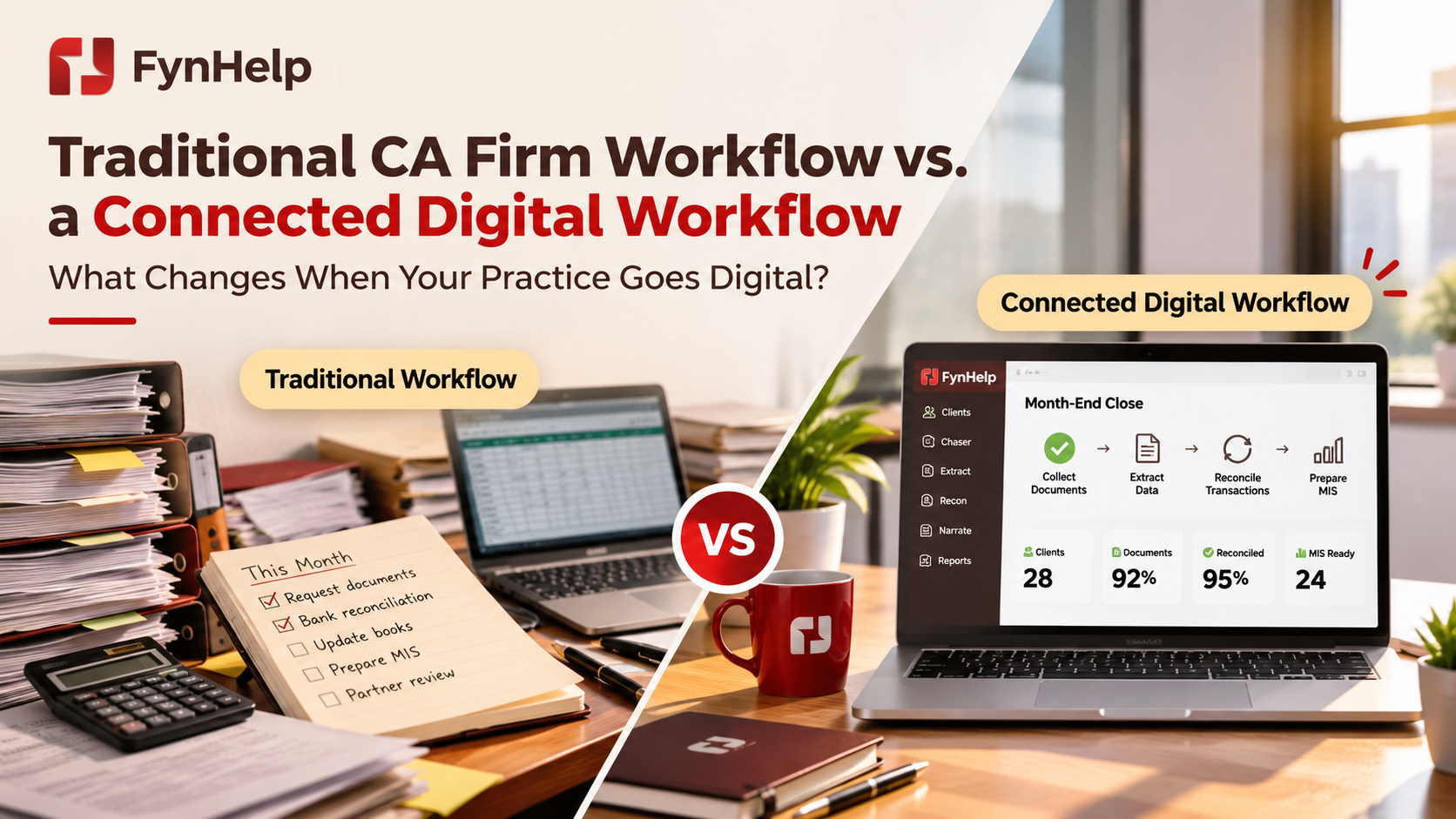
- Traditional vs. Connected Digital CA Firm Workflow
- What Should a Connected CA Firm Workflow Look Like?
- Where Does FynHelp Fit Into This Workflow?
- Chaser: Client Document Collection
- Extract: Financial Document Processing
- Recon: Reconciliation and Exception Management
- Narrate: Monthly MIS Preparation
- Does Moving to a Digital Workflow Mean Removing Human Review?
- How Should CA Firms Evaluate Workflow Automation Software?
- Conclusion: The Future of CA Firm Operations Is Connected
- Explore FynHelp
Running a CA firm involves considerably more than maintaining books, preparing financial statements and completing statutory assignments.
Behind every completed client engagement is a series of operational activities that keep the work moving.
A client needs to share documents. Someone has to follow up. The team needs to organise the information, process transactions, reconcile accounts, investigate discrepancies and prepare reports. Once the work is completed, it still needs to be reviewed before it can move forward.
Now imagine managing this process across 20, 30 or 50 different clients.
Each client has different requirements, different document submission timelines and different levels of responsiveness. Multiple team members may be involved, and every engagement has its own pending tasks and deadlines.
For many CA firms, the challenge is not necessarily the accounting work itself. It is coordinating everything that happens around it.
This is where the difference between a traditional, disconnected workflow and a connected digital workflow becomes important.
How Does a Traditional CA Firm Workflow Operate?
Many accounting practices operate through a combination of accounting software, spreadsheets, email, WhatsApp and manual coordination.
Each tool serves a purpose, but the overall process may remain fragmented.
Consider a typical monthly accounting workflow.
Step 1: Collecting Client Documents
The accounting team requests bank statements, purchase invoices, sales details and other supporting documents from clients.
Documents may arrive through different channels and at different times.
The team then needs to identify what has arrived, what is missing and which client requires another reminder.
Step 2: Organising Financial Information
Once documents arrive, employees download, rename, sort and organise them before processing.
Depending on the document formats and existing systems, some information may need to be entered or structured manually.
Step 3: Processing Accounting Data
The team processes transactions, checks supporting information and updates the relevant accounting records.
Where information is incomplete or inconsistent, additional clarification may be required.
Step 4: Reconciling Transactions
Bank transactions need to be compared with accounting records.
Matched transactions can move forward, while unmatched items require investigation.
The team may need to examine references, dates, amounts and supporting documents to understand differences.
Step 5: Preparing Reports and Completing Reviews
Once the underlying information is ready, the team prepares reports and working papers.
Seniors and partners review the work, ask questions and request corrections where necessary.
The entire process involves several hand-offs, and a delay at one stage can affect the next.
Where Do Disconnected Workflows Create Problems?
The difficulty is not that individual tools cannot perform their intended functions.
The difficulty is that information and work status can become scattered across multiple systems.
Here are five areas where this becomes particularly noticeable.
A. Client Communication Happens Across Multiple Channels
A document request may be sent through WhatsApp, followed by an email reminder and another phone call.
Without a clear record of request ownership and completion status, employees may struggle to determine whether the client has responded or whether another follow-up is necessary.
B. Documents Are Difficult to Track Across Clients
When multiple clients submit documents at different times, teams need a reliable way to understand what has been received and what remains pending.
Without central visibility, employees may depend on individual trackers or manual status updates.
C. Financial Information Arrives in Different Formats
Bank statements, invoices, spreadsheets and accounting exports may not follow the same structure.
Teams need to extract, organise and validate the information before it can be used in downstream accounting workflows.
D. Reconciliation Exceptions Require Additional Attention
Not every bank transaction will have an immediately identifiable match.
Some transactions may involve timing differences, split payments, missing references or incomplete information.
These cases need to be investigated rather than simply marked as unmatched.
E. Partners May Not Have Immediate Visibility Into Work Progress
Partners and managers need to understand which clients are ready, which assignments are pending and which tasks require attention.
When this information is spread across individual employees and separate trackers, obtaining an overall view can require additional coordination.
Traditional vs. Connected Digital CA Firm Workflow
The objective of a connected digital workflow is not simply to introduce more software.
It is to connect the different stages of work so that information can move forward with better visibility and fewer unnecessary hand-offs.
Workflow areaTraditional, disconnected approachConnected digital approachClient communicationMessages and manual follow-upsOrganised requests and reminder workflowsDocument collectionFiles received across multiple channelsCentralised document intake and trackingData extractionManual organisation and entryStructured extraction from supported documentsReconciliationManual matching and separate trackersConnected matching and exception managementException handlingFollow-ups across spreadsheets and messagesCentralised visibility into items requiring attentionMIS preparationInformation assembled across different sourcesReporting workflow based on processed financial informationWork visibilityIndividual updates and manual status checksMore connected client and workflow visibility
A connected workflow does not remove the need for professional judgement.
It helps organise repetitive operational work so that accounting professionals can focus on validation, investigation, review and client service.
FynHelp reads bank statements and Tally exports, matches bank to books, and hands you only the lines that need a decision. Nothing is posted without your approval.
Start free trialFree to start, no card neededWhat Should a Connected CA Firm Workflow Look Like?
A well-designed digital workflow should connect the major stages of client accounting rather than treating each activity as an isolated task.
A practical workflow can be organised into six stages.
1. Client and Engagement Management
Maintain a structured view of clients, entities, contacts and engagement-related information.
2. Document Collection
Track document requirements, requests, reminders and received files.
3. Document Intelligence
Extract relevant information from supported documents and organise it into structured data.
4. Financial Data Processing
Validate and organise financial information so that it can be used in subsequent workflows.
5. Reconciliation and Exception Management
Identify potential matches, separate exceptions and make unresolved items visible for investigation.
6. Reporting and Review
Prepare monthly MIS and supporting information, with the ability for the accounting team to review the output and verify the underlying sources.
The important principle is continuity.
Information collected at the beginning of the workflow should not have to be repeatedly reconstructed at every subsequent stage.
Where Does FynHelp Fit Into This Workflow?
This is the problem FynHelp is designed to address.
FynHelp is a practice intelligence and month-end close workflow platform built for Indian CA firms and accounting practices managing multiple client entities.
Instead of requiring firms to replace their existing accounting systems, FynHelp is designed to work alongside existing accounting workflows and connect important operational activities.
Its workflow is organised around four core stages.
Chaser: Client Document Collection
Chaser helps CA teams manage requests and follow-ups for missing client documents.
The objective is to reduce the manual coordination involved in collecting information required for accounting work.
Extract: Financial Document Processing
Extract helps structure information from supported financial documents, reducing the need to organise every piece of information manually.
Recon: Reconciliation and Exception Management
Recon helps identify transaction matches and brings unmatched items into an exception workflow for further investigation and review.
Narrate: Monthly MIS Preparation
Narrate supports the preparation of monthly MIS using processed financial information, with source traceability helping reviewers understand the underlying information.
Together, these stages create a connected workflow from document collection to financial reporting.
Does Moving to a Digital Workflow Mean Removing Human Review?
Absolutely not.
Accounting work involves context, judgement and professional responsibility.
Automation can assist with repetitive activities such as document collection, data extraction, transaction matching and report preparation.
However, exceptions still need to be investigated. Financial information needs to be validated. Reports need to be reviewed.
A connected workflow should make this work easier to manage, not remove the accountability of the professionals responsible for it.
The goal is to give accounting teams better information, clearer workflows and more visibility into what requires their attention.
How Should CA Firms Evaluate Workflow Automation Software?
Before adopting any new platform, CA firms should consider the following questions:
Does it support the accounting systems we already use?
Can it manage multiple clients and entities?
How does it handle document collection and pending requests?
Which document formats does it support?
Can extracted information be reviewed and validated?
How does it identify and manage reconciliation exceptions?
Can reports be traced back to their underlying sources?
Can multiple team members work within the same practice workflow?
What permissions and data-access controls are available?
Can the team adopt it without disrupting existing operations?
A product demonstration should show how the software handles an actual workflow, not just how its individual features look.
Conclusion: The Future of CA Firm Operations Is Connected
The traditional CA firm workflow is built around several important activities: collecting documents, processing financial information, reconciling transactions, preparing reports and reviewing work.
The challenge emerges when these activities operate independently.
As practices grow, managing clients, employees, documents and deadlines requires more than individual spreadsheets and manual status checks.
Connected digital workflows offer a way to bring these activities together while preserving the professional judgement that accounting work requires.
The objective is not to replace the accounting systems firms already depend on. It is to make the work surrounding those systems more organised, visible and manageable.
At FynHelp, we are building towards exactly that.
Running a CA firm should not mean spending more time coordinating work than actually reviewing it.
Explore FynHelp
If you manage a CA firm or accounting practice and want to understand how document collection, extraction, reconciliation and MIS preparation can work together, explore FynHelp.
Website: https://www.fynhelp.com
See how a connected workflow can fit into your existing practice.